theory
prototyping tools and development platforms for tangible interaction
Benno Ulitzka
Niklas Kothe
Johannes Horn
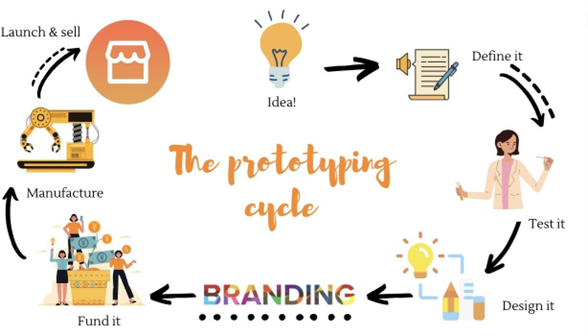
Figure 1: The purpose of prototyping as an early process for testing ideas, collecting feedback and improving a concept before final development. Source: Rapid Prototyping Lab.
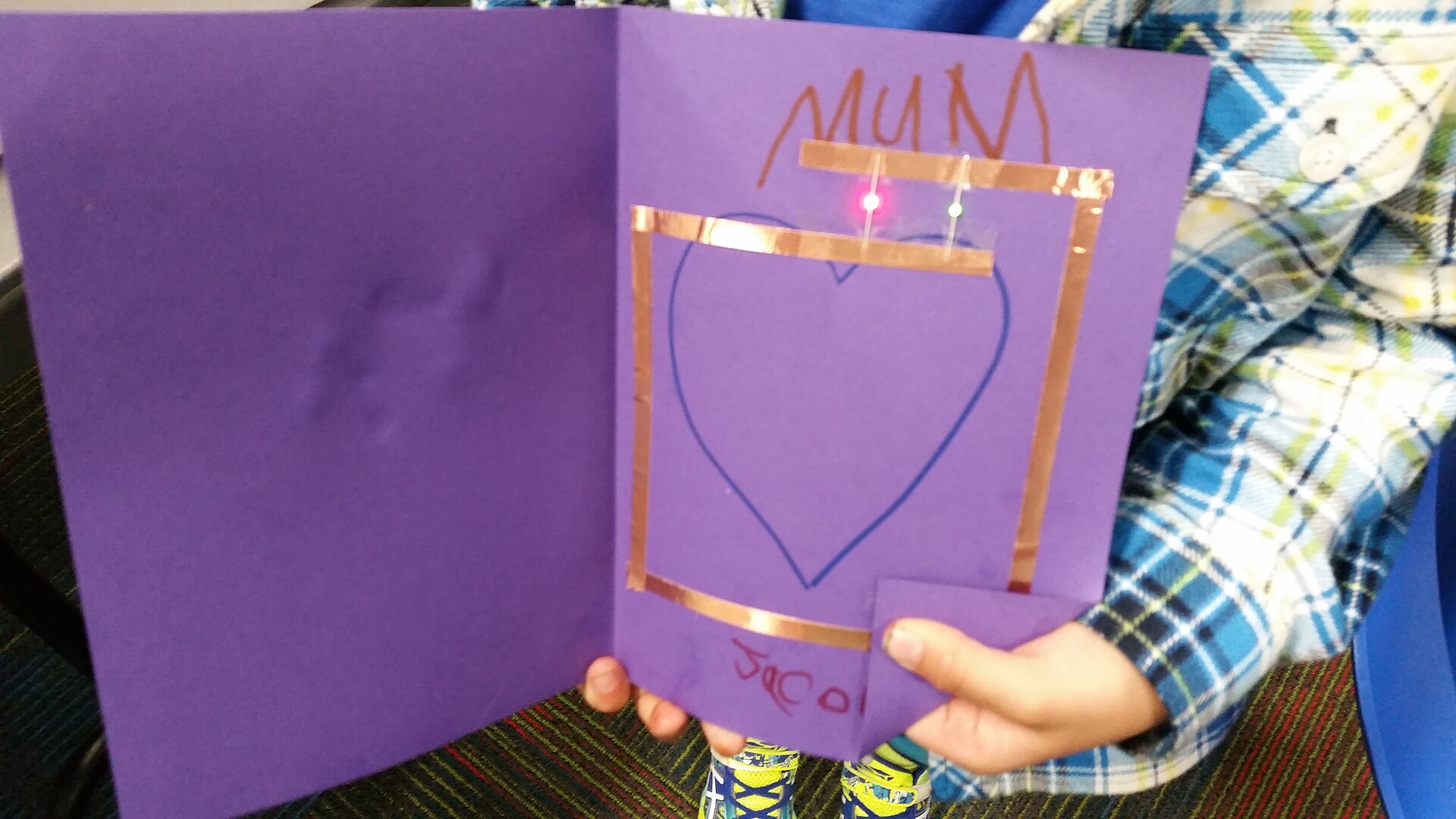
Figure 2: A paper circuit made with copper tape, LEDs and a coin cell battery as an example of a simple hands-on prototyping approach. Image: Mosborne01, Wikimedia Commons, CC BY-SA 3.0.
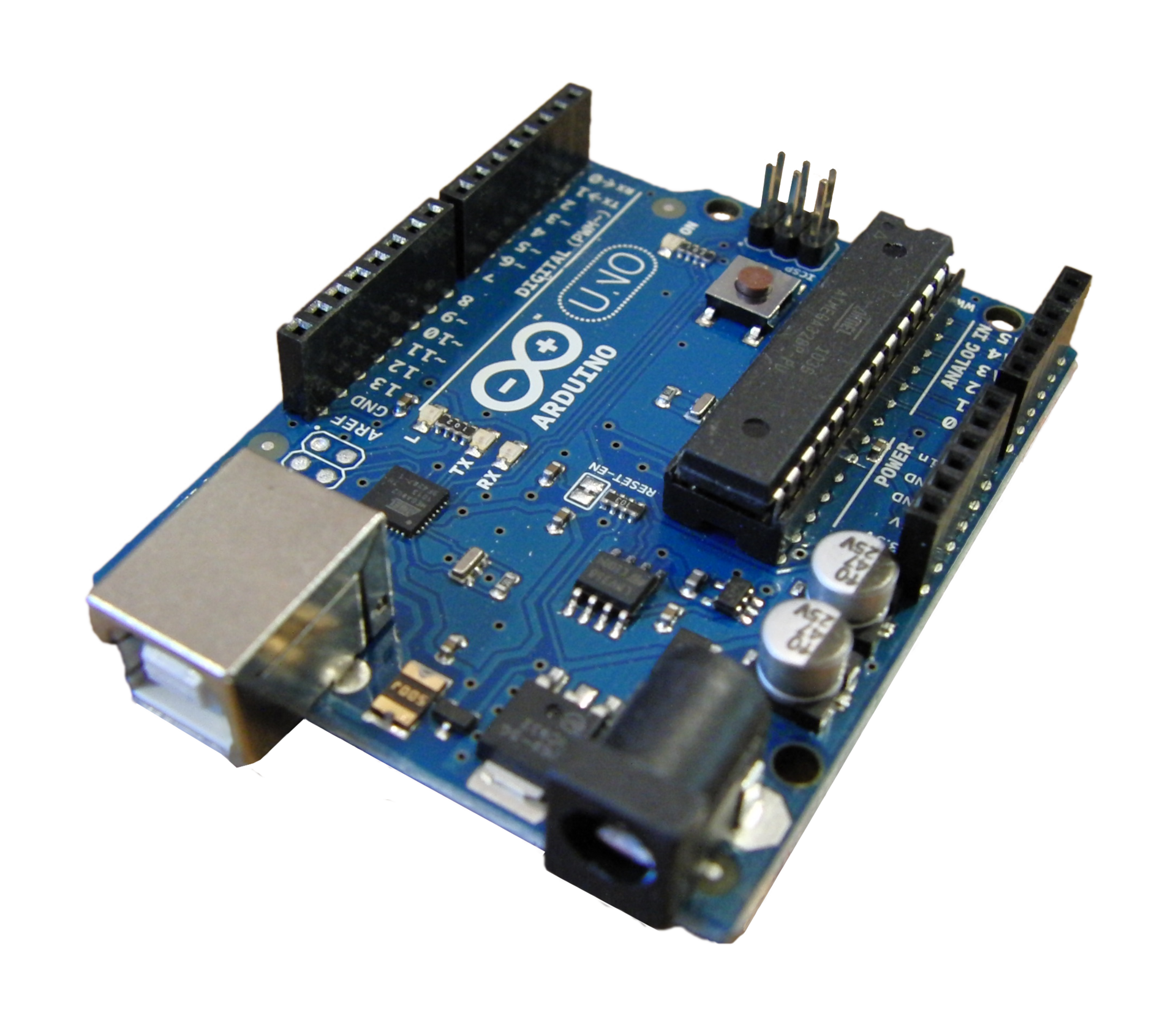
Figure 3: Arduino Uno as an example of a microcontroller-based electronic prototyping platform. Image: Creative Tools / JotaCartas, Wikimedia Commons, CC BY 2.0.
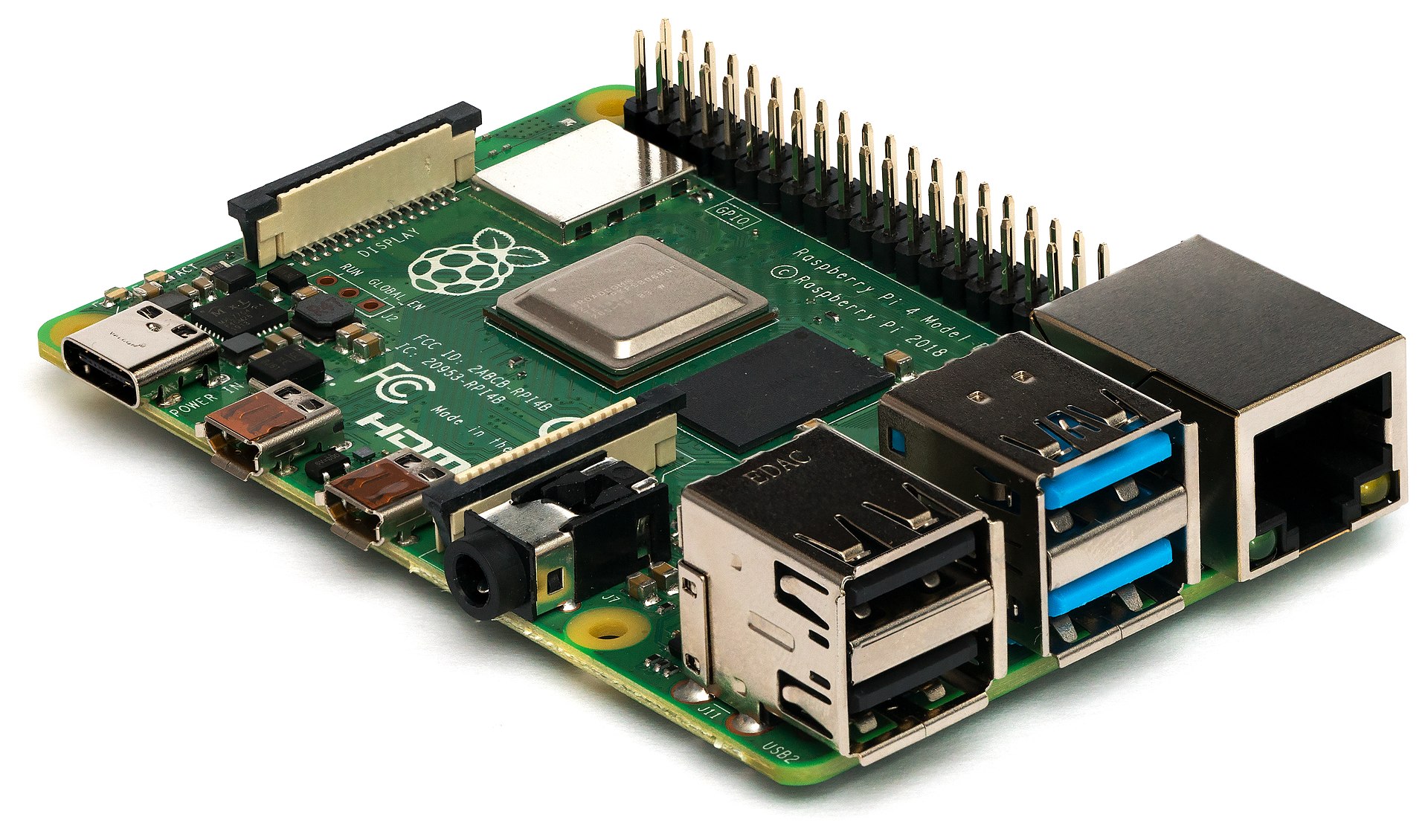
Figure 4: Raspberry Pi 4 Model B as an example of a more computer-like development platform for complex prototypes. Image: Michael H. / Laserlicht, Wikimedia Commons, CC BY-SA 4.0.
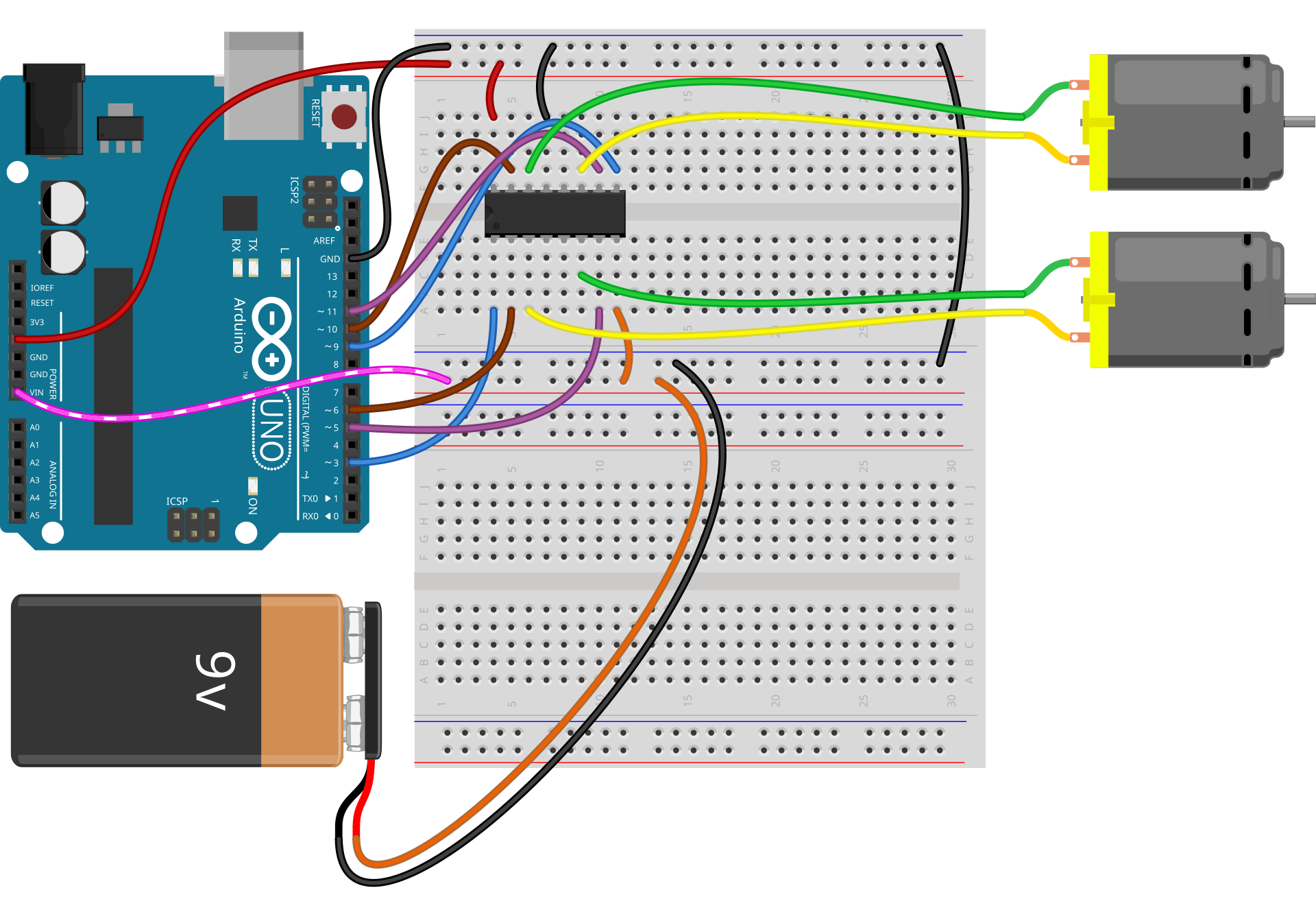
Figure 5: Fritzing breadboard view as an example of digital circuit documentation and communication. Image: fritzing.org, Wikimedia Commons, CC BY-SA 4.0.
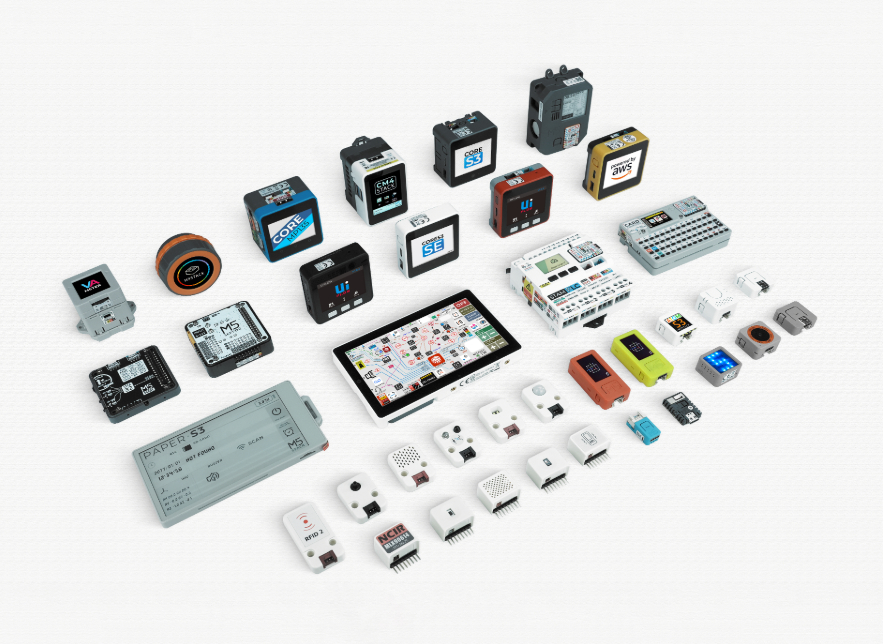
Figure 6: M5Stack Developer Center as an example of a modular development ecosystem with product documentation, software tools and hardware resources. Source: M5Stack Developer Center.
An overview of prototyping tools and development platforms for tangible interaction, focusing on fast experimentation, tool categories and criteria for choosing the right platform.
23.06.2026
“If a picture is worth a thousand words, a prototype is worth a thousand meetings” (often attributed to IDEO.org)
Prototyping is an essential part of designing tangible interaction. Tangible user interfaces connect digital information with physical objects, materials and embodied interaction (Shaer & Hornecker, 2010). Therefore, many design questions cannot be answered through theory alone. They have to be tried out. A prototype makes an idea visible, touchable and testable. It can also become a communication tool within a team, because people can react to something concrete instead of only discussing an abstract concept.
Prototyping as Iterative Exploration
In tangible interaction, prototyping can be understood as thinking by doing. Designers build early versions of an idea, test them, learn from them and improve them step by step. This iterative process usually moves between analyzing, designing, making an idea experienceable and testing it again (see Figure 1).
This is especially useful because physical interaction often behaves differently than expected. A sensor may react too slowly, an object may not feel intuitive, or a material may suggest a different interaction than originally planned. These aspects often become visible only when users actually interact with a prototype.
Therefore, prototypes are not only technical test objects. They also help to explore interaction, material qualities, spatial arrangements and user expectations. In tangible interaction, the physical form of an interface is part of the interaction itself.
Material-Based and Beginner-Friendly Tools
A first group of tools focuses on simple, direct and accessible forms of prototyping. Paper circuits, cardboard interfaces, conductive materials or everyday objects allow designers to test interaction ideas without building a complete technical system first. Hudson and Mankoff (2006) show how functioning physical interfaces can be rapidly constructed from simple materials such as cardboard, thumbtacks, tin foil and masking tape. A paper circuit, for example, can demonstrate how electricity, touch and visual feedback are connected in a direct and understandable way (see Figure 2).
Such approaches are useful when the goal is to explore an idea quickly, involve people with different levels of technical knowledge, or focus on the physical form of an interaction. Mellis et al. (2013) describe how microcontrollers, paper, conductive ink and electronic components can be treated as design materials. This perspective is relevant for tangible interaction because it lowers the entry barrier and connects electronic prototyping with craft-based practices.
A beginner-friendly electronic platform is the micro:bit. It combines a small programmable board with built-in input and output possibilities, such as buttons, an LED matrix, sensors and wireless communication (Micro:bit Educational Foundation, 2026). This makes it suitable for first interactive prototypes, educational contexts and quick experiments with physical input, movement or simple feedback.
Microcontroller and Computing Platforms
When a prototype requires more technical control, microcontroller platforms become important. Arduino is one of the most common examples. Arduino boards can read input from sensors and control outputs such as LEDs, motors, speakers or displays (Arduino, 2026). For tangible interaction, Arduino is useful when physical events should trigger digital behavior or when digital systems should influence physical objects (see Figure 3).
A typical example would be a knock-sensitive object: a piezo sensor detects vibrations on a surface and an Arduino translates this input into visual, acoustic or mechanical feedback. This makes Arduino suitable for sensor-actuator prototypes and physical computing projects. Mellis et al. (2007) describe Arduino as an open electronic prototyping platform, which explains its relevance in design, media and interaction contexts.
Raspberry Pi represents a different type of platform. While Arduino is mainly a microcontroller, Raspberry Pi is closer to a small computer. It can run an operating system, process camera input, connect to networks, host local applications and use programming languages such as Python (Raspberry Pi, 2026). This makes it useful for prototypes involving computer vision, web interfaces, local servers or more complex software components (see Figure 4). Mathe et al. (2024) also describe Raspberry Pi as a flexible platform used across a wide range of application areas.
The choice between Arduino and Raspberry Pi therefore depends on the role of computation in the prototype. Arduino is often sufficient for direct sensor-actuator behavior, while Raspberry Pi becomes more useful when the prototype needs media processing, networking or software libraries.
Digital Tools for Simulation and Documentation
Not every step of prototyping has to happen directly with physical hardware. Digital tools can support the process through simulation, documentation and visual planning. They are useful when a team wants to plan a circuit, communicate a setup, test code or avoid wiring mistakes before building the real prototype.
Fritzing is a documentation-oriented tool that helps to visualize circuits and breadboard layouts (Fritzing, 2026). This is especially helpful in student projects, where wiring can quickly become confusing and where prototypes need to be explained to others (see Figure 5).
Wokwi follows a more simulation-oriented approach. It allows users to simulate microcontroller projects directly in the browser (Wokwi, 2026). This can be useful when hardware is not available, when teams work remotely, or when code should be tested before using real components. Similar browser-based tools such as withdiode also support early experimentation by making circuits visible and testable in a virtual environment (withdiode, 2026).
Another relevant example is d.tools. Instead of focusing only on circuit construction, it addresses the broader design process by connecting design, testing and analysis. Hartmann et al. (2006) describe this as reflective physical prototyping. This is important because tangible interaction prototypes should not only function technically, but also be observed, evaluated and improved through interaction.
Modular Development Ecosystems
A further category consists of modular development ecosystems such as M5Stack. These platforms combine microcontroller-based development with ready-made modules, displays, sensors, cases and expansion units. The goal is to reduce the amount of wiring and mechanical construction needed to build a functional prototype. M5Stack describes itself as a provider of modular open-source solutions for IoT development (M5Stack, 2026).
M5Stack is useful when a prototype should become compact, robust and presentable quickly. Instead of combining many loose components on a breadboard, designers can use stackable modules and ready-made units. This can be helpful for IoT prototypes, small interactive objects or exhibition setups where the prototype should look more stable than an open wiring setup (see Figure 6).
At the same time, modular systems should not be understood as a universal solution. They can accelerate development, but they also bind the prototype to a specific ecosystem and its available modules. Therefore, M5Stack is best seen as one option within a broader tool landscape: useful for fast integration and presentation, but not always the most flexible choice for early material exploration or highly customized hardware setups.
Conclusions
Prototyping tools and development platforms shape how tangible interaction ideas are explored. They influence how quickly ideas become testable, how easily team members can participate and how clearly a prototype can communicate its purpose.
The main conclusion is that there is no single best tool. The choice depends on what should be learned from the prototype at a specific moment in the project. Some tools are better for quick material experiments, others for electronic control, simulation, documentation or more complex software-based prototypes.
A project might start with paper and cardboard, continue with a micro:bit or Arduino experiment, use Fritzing to document the circuit, test parts of the code in Wokwi and later move to a Raspberry Pi or M5Stack platform. This combination reflects the iterative nature of prototyping: each step helps answer a different question.
For tangible interaction projects, the most useful tool is not always the most powerful one. It is the tool that makes an idea understandable and testable in the current project phase.
References
Arduino. (2026). What is Arduino? Retrieved June 23, 2026, from https://docs.arduino.cc/learn/starting-guide/whats-arduino/
Fritzing. (2026). Welcome to Fritzing. Retrieved June 23, 2026, from https://fritzing.org/
Hartmann, B., Klemmer, S. R., Bernstein, M., Abdulla, L., Burr, B., Robinson-Mosher, A., & Gee, J. (2006). Reflective physical prototyping through integrated design, test and analysis. In Proceedings of the 19th Annual ACM Symposium on User Interface Software and Technology (pp. 299–308). Association for Computing Machinery. https://doi.org/10.1145/1166253.1166300
Hudson, S. E., & Mankoff, J. (2006). Rapid construction of functioning physical interfaces from cardboard, thumbtacks, tin foil and masking tape. In Proceedings of the 19th Annual ACM Symposium on User Interface Software and Technology (pp. 289–298). Association for Computing Machinery. https://doi.org/10.1145/1166253.1166299
Mathe, S. E., Kondaveeti, H. K., Vappangi, S., Vanambathina, S. D., & Kumaravelu, N. K. (2024). A comprehensive review on applications of Raspberry Pi. Computer Science Review, 52, 100636. https://doi.org/10.1016/j.cosrev.2024.100636
Mellis, D. A., Banzi, M., Cuartielles, D., & Igoe, T. (2007). Arduino: An open electronic prototyping platform. In CHI ’07 Extended Abstracts on Human Factors in Computing Systems (pp. 2481–2484). Association for Computing Machinery. https://doi.org/10.1145/1240866.1241028
Mellis, D. A., Jacoby, S., Buechley, L., Perner-Wilson, H., & Qi, J. (2013). Microcontrollers as material: Crafting circuits with paper, conductive ink, electronic components and an “untoolkit”. In Proceedings of the 7th International Conference on Tangible, Embedded and Embodied Interaction (pp. 83–90). Association for Computing Machinery. https://doi.org/10.1145/2460625.2460638
Micro:bit Educational Foundation. (2026). Meet the BBC micro:bit. Retrieved June 23, 2026, from https://microbit.org/get-started/user-guide/overview/
M5Stack. (2026). About M5Stack. Retrieved June 23, 2026, from https://m5stack.com/about-us
Raspberry Pi. (2026). Raspberry Pi. Retrieved June 23, 2026, from https://www.raspberrypi.com/
Shaer, O., & Hornecker, E. (2010). Tangible user interfaces: Past, present, and future directions. Foundations and Trends in Human-Computer Interaction, 3(1–2), 1–137. https://doi.org/10.1561/1100000026
withdiode. (2026). withdiode. Retrieved June 23, 2026 (“development is currently paused”), from https://www.withdiode.com/
Wokwi. (2026). Wokwi: Online ESP32, STM32, Arduino simulator. Retrieved June 23, 2026, from https://wokwi.com/projects
Image Credits
Rapid Prototyping Lab. (2026). Purpose of prototyping. Retrieved June 23, 2026, from https://prototypinglab.in/purpose-of-prototyping/
Mosborne01. (2016). Paper circuit.jpg. Wikimedia Commons. Licensed under CC BY-SA 3.0. https://commons.wikimedia.org/wiki/File:Paper_circuit.jpg
Creative Tools / JotaCartas. (2011). Arduino-uno-perspective-transparent.png. Wikimedia Commons. Licensed under CC BY 2.0. https://commons.wikimedia.org/wiki/File:Arduino-uno-perspective-transparent.png
Michael H. / Laserlicht. (2019). Raspberry Pi 4 Model B - Side.jpg. Wikimedia Commons. Licensed under CC BY-SA 4.0. https://commons.wikimedia.org/wiki/File:Raspberry_Pi_4Model_B-_Side.jpg
fritzing.org. (2014). Fritzing-breadboard.svg. Wikimedia Commons. Licensed under CC BY-SA 4.0. https://commons.wikimedia.org/wiki/File:Fritzing-breadboard.svg
M5Stack. (2026). M5Stack Developer Center. Retrieved June 23, 2026, from https://docs.m5stack.switch-science.com/en/start
Disclosure Statement
This text was prepared with the assistance of the AI language model ChatGPT, GPT-5.5 Thinking. The model was used for structuring, drafting and linguistic revision based on material provided by the authors. The authors selected the topic, reviewed the content and remain responsible for the final version.